
Narrative is on the iPhone
Describe the video, answer one question, get the edit. Fix it with a sentence or your fingers, export to Photos. Your footage stays on your phone.
Narrative is on the iPhone. Download it from the App Store, pick a few clips from your camera roll, and tell it what you want: “make a 30-second highlight of the game, the goal at the end, captions.” A minute or two later the edit is on a real timeline on your phone, ready to tweak, export and post.
We built the web editor for people with an hour of footage and a laptop. We built the app for everyone else: the footage is on your phone, you post from your phone, and the edit should happen there too.
What it does
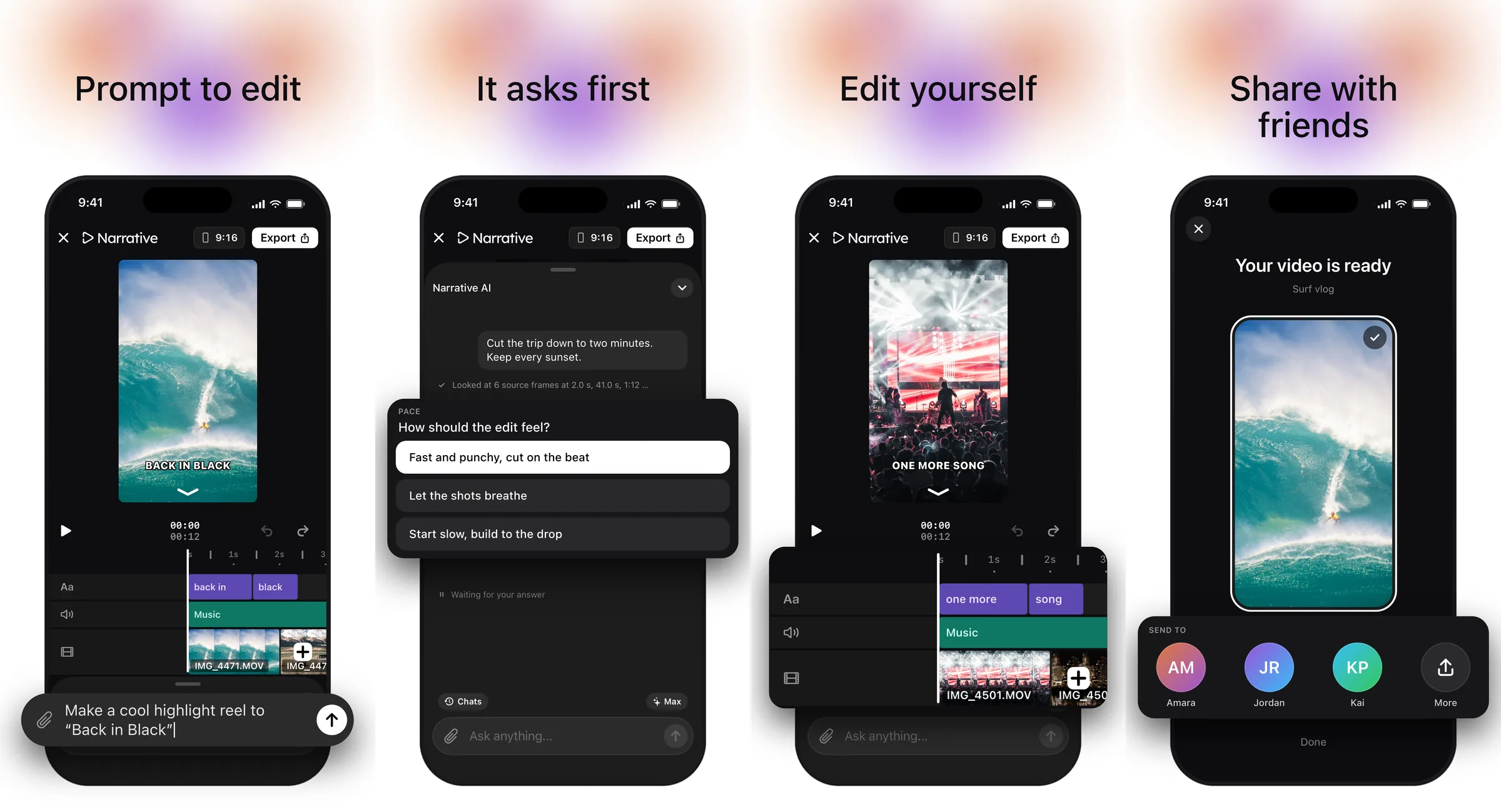
You describe the video, in your own words. Narrative watches your clips, listens to what was said, and cuts a first version: the shots in order, the pacing, the captions, a title, music if you asked for one. It is a real edit on a real multitrack timeline, with video, text, graphics, transitions and music on their own lanes, not a template your footage has to fit into.
If your request leaves something open, it asks before it builds. Not a form; one question with a few answers to tap, like “how should this feel: fast and punchy, or let the shots breathe?” Then it goes.
When it comes back, you can do two things. Ask for a change in a sentence (“tighter”, “captions bigger”, “end on the celebration”), or fix it yourself with your fingers: trim a clip, split it, drag it earlier, change its speed, add a text. Each change is saved as a version, so nothing is ever lost.
Export saves to Photos or opens the share sheet. Vertical edits come out vertical; a project made from phone clips is 9:16 without asking.
Who it is for
People who post often and edit on their phone: sports highlights, montages, talking-head clips, recaps of a weekend. If you have ever had forty clips from a game and not posted any of them because the editing was the hard part, this is for you.
Your footage stays on your phone
Most AI editing apps upload your videos in full before anything happens. Narrative does not. Your clips stay in your camera roll, and only the few seconds the edit actually needs ever leave the phone. A twenty-minute recording that becomes a thirty-second highlight stays a twenty-minute recording on your phone, not on a server somewhere.
Same account as the web
Sign in with Apple, Google or an email code and it is the same Narrative account. One subscription covers both. Projects you make on the web open on the phone, too.
Try it
- Get Narrative on the App Store. It is free to download, on iPhone, iOS 18 or later.
- Import a few clips.
- Type one sentence about the video you want.
Some first prompts that work well:
- “Make a 30-second vertical highlight of the game. The goal at the end. Captions.”
- “Cut the trip down to a minute. Keep every sunset. Something upbeat under it.”
- “Turn this into a clip for TikTok. Big captions, cut the dead air, hook in the first two seconds.”
Timeline editing, AI editing and exports need a Narrative subscription, as on the web. The app is new. If something breaks or you want something it does not do yet, write to team@usenarrative.ai; we read everything.